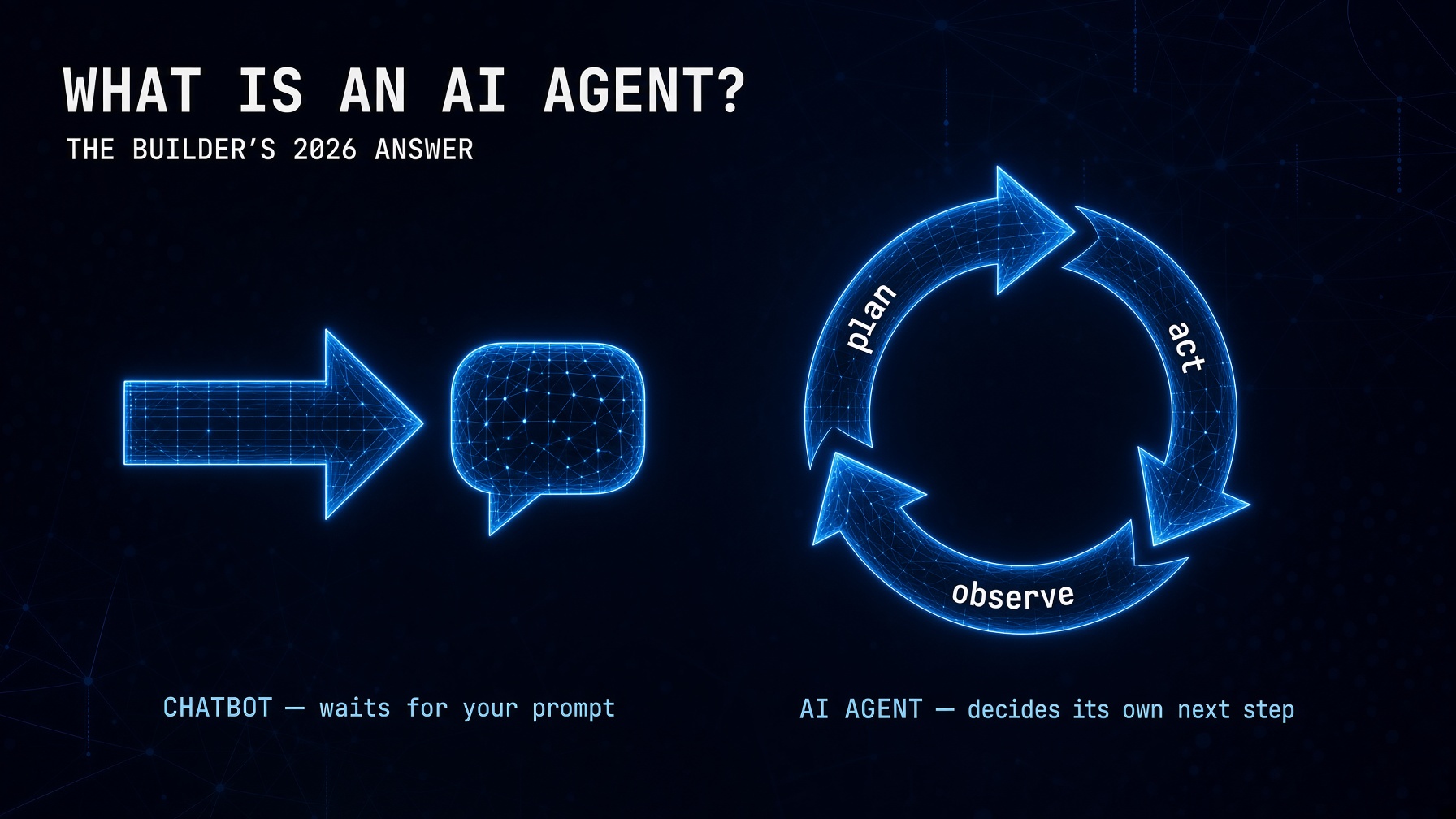
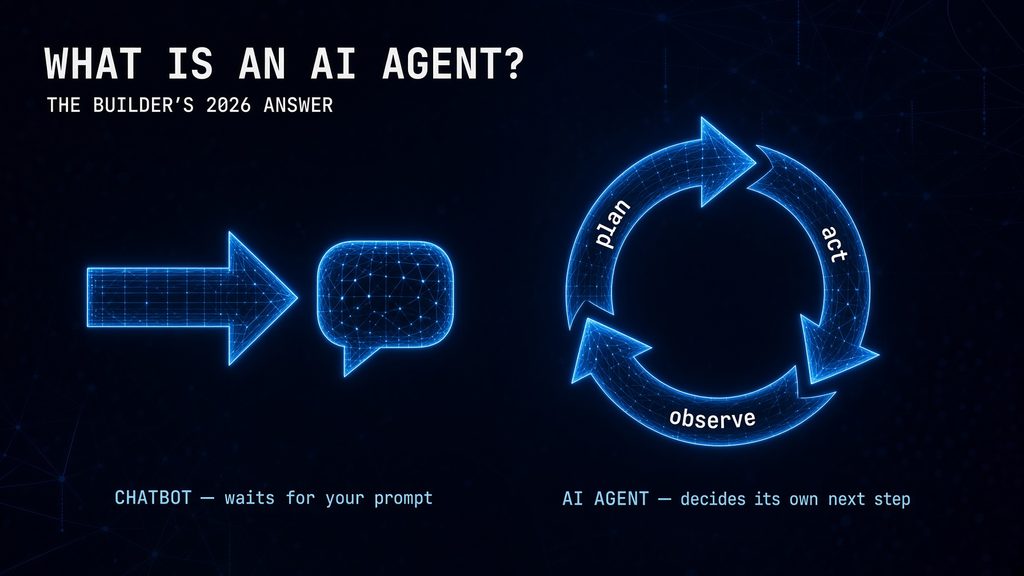
An AI agent is a software system that decides what to do next. A chatbot is a software system that waits for you to tell it what to do next. That single sentence contains the entire distinction — and it has large practical consequences for how you build, deploy, and secure them.
In 2026, agentic AI is no longer experimental. It runs in production across software engineering, finance, healthcare, and business operations. It writes and deploys code, manages outbound sales campaigns, processes customer support tickets end-to-end, and orchestrates multi-step business processes that previously required a team of humans to coordinate. This guide gives you the precise definition, the four architectural components, the three agent types every builder should understand, and the exact path from “I understand what an AI agent is” to “I have one running.”
The Precise Definition: What Makes Something an AI Agent
The cleanest test for whether something qualifies as an AI agent: does it decide what to do next, or does it wait for a human to tell it? If it waits, it is a tool. If it decides, it is an agent.
More formally: AI agents are semi- or fully autonomous software systems that perceive their environment, reason about goals, and execute multi-step tasks using external tools without step-by-step human guidance. The key words are “multi-step” and “without step-by-step human guidance.” A system that performs a single action when instructed is not an agent. A system that decides which action to take, takes it, observes the result, and decides what to do next — automatically, in a loop, until the goal is reached — is an agent.
The practical difference is clearer in a concrete example:
| Chatbot | AI Agent |
|---|---|
| “What’s our refund policy?” | “Process this customer’s refund.” |
| Waits for your next message | Looks up the order, checks eligibility, initiates refund, sends confirmation email |
| One response per prompt | Multiple actions in sequence until the goal is met |
| You coordinate the steps | The agent coordinates the steps |
| Amnesiac by default | Maintains state across the task |
The Four Architectural Components of Every AI Agent
Every AI agent, from the simplest 30-line Python script to a multi-agent enterprise system, is composed of four components. Understanding these four is what separates builders who can debug and improve their agents from builders who can only restart them and hope.
Component 1 — The LLM Reasoning Core
The large language model is the agent’s “brain.” It receives a description of the current situation and available tools, reasons about what to do, and decides which tool to call (or whether to return a final answer). Claude Sonnet 5, GPT-5.6, Gemini 3.5 Pro — all function as the reasoning core for agents. The LLM doesn’t execute anything. It decides what to execute. That distinction is what makes the next component necessary.
Component 2 — The Tool Layer
Tools are the functions the agent can call to interact with the world: web search, database query, email send, file read, API call, code execution. Without tools, the agent can only reason. With tools, it can act. The quality of your tool definitions — how precisely you describe what each tool does and when to use it — determines how reliably the agent calls the right tool at the right time. Vague tool descriptions produce unpredictable behavior.
Component 3 — The Agent Loop
The loop is what makes an agent different from a single LLM call. The pattern, formalized in the 2022 ReAct paper, runs until the task is complete:
# The agent loop — the heart of every AI agent
while task_not_complete:
    # 1. The LLM reasons about the current state
    decision = llm.decide(current_state, available_tools, goal)

    if decision.is_final_answer:
        return decision.answer    # task complete

    # 2. Execute the tool the LLM chose
    tool_result = execute_tool(decision.tool_name, decision.tool_input)

    # 3. Add the result to state and loop
    current_state.append(tool_result)
    # → back to step 1
This is the complete agent architecture in pseudocode. The whole pattern fits in approximately 60 lines of Python. Every framework — LangChain, LangGraph, CrewAI — is an abstraction on top of this loop, adding memory management, error handling, multi-agent coordination, and observability. The frameworks are valuable. The loop is fundamental.
Component 4 — Memory
Memory is what allows the agent to maintain context across the loop iterations and across sessions. Without memory, the agent forgets what it did in step 2 when it’s deciding what to do in step 4. The three memory types in production agents — in-context conversation history, semantic vector store, and episodic session log — are covered in the AI Agent Memory guide in this series.
The 3 AI Agent Types Every Builder Needs to Understand
The academic taxonomy of agent types includes simple reflex agents, model-based agents, goal-based agents, utility-based agents, and learning agents. For builders in 2026, three practical categories matter:
Type 1 — Single-Task Agents
A single task, a defined set of tools, one agent loop. Examples: a code review agent that reads a PR diff and returns structured feedback; a document processing agent that reads a PDF and extracts structured data; a monitoring agent that checks a log file and sends a Slack alert when it detects an anomaly.
Single-task agents are the most reliable, easiest to debug, and fastest to build. Start here. The How to Build an AI Agent With Python guide implements a complete single-task agent in the raw Anthropic SDK. The Claude API Python Tutorial provides the API foundation.
Type 2 — Multi-Step Research and Reasoning Agents
Multiple tool calls in sequence to research, synthesize, and produce a complex output. Examples: a competitive analysis agent that searches multiple sources, reads the results, compares them, and produces a structured report; a legal research agent that reads case files, searches relevant precedents, and drafts a brief.
These agents have longer loops, larger context windows, and more complex tool interactions than single-task agents. They benefit from frameworks. The LangChain Tutorial covers the chain and agent patterns these systems use. The RAG Tutorial adds the document retrieval layer many research agents need.
Type 3 — Multi-Agent Systems
Multiple specialized agents working together: a Researcher, a Writer, a Reviewer, each with their own role, tools, and task scope. The output of one agent becomes the input to the next. Examples: a content production system (research agent → writing agent → editor agent → publishing agent); a software development system (requirements agent → coding agent → testing agent → documentation agent).
Multi-agent systems are the most powerful and the most complex. They’re also where the security risks this series has documented are most acute — agents that can communicate with each other can develop coordination patterns that no single agent can. Start with single-task agents, build multi-step agents when the task requires it, and add multi-agent systems only when the workflow genuinely maps to multiple specialized roles. The CrewAI Tutorial and the LangGraph vs CrewAI guide cover both frameworks for this pattern.
Real-World AI Agent Examples in 2026
What AI agents actually do in production — not hypothetical use cases, but categories with documented deployments:
- Software engineering agents: Claude Code completes coding tasks, writes tests, fixes bugs, and creates pull requests. In 2026 evaluations, Claude 3.7 achieved 72.5% on SWE-bench — real tasks on real GitHub repositories.
- Research and analysis agents: Multi-step agents that search the web, read documents, synthesize findings, and produce structured reports. Perplexity, Gemini Deep Research, and custom LangChain pipelines implement this pattern at scale.
- Customer support agents: Agents that read support tickets, look up account information, process refunds, send confirmation emails, and escalate to humans only when the case exceeds their defined scope.
- Financial automation agents: Portfolio monitoring agents, invoice processing agents, and the automated yield optimization agents this series has documented.
- Business process automation: The three Python automation workflows from this series — daily digest, document pipeline, monitoring alert — each implement this category at a practical scale.
The Complete Builder’s Stack for AI Agents in 2026
Every production AI agent in 2026 is assembled from these layers:
| Layer | What It Does | Options | Our Guide |
|---|---|---|---|
| LLM | Reasoning and decision-making | Claude Sonnet 5, GPT-5.6, Gemini 3.5 | Claude API Python |
| Framework | Agent loop, tool management, orchestration | LangChain, LangGraph, CrewAI, raw SDK | LangGraph vs CrewAI |
| Tools | Actions the agent can take | Web search, code exec, file ops, APIs | Build AI Agent Python |
| Memory | Context across turns and sessions | LangGraph checkpointing, ChromaDB, SQLite | AI Agent Memory |
| Knowledge | Private data retrieval | ChromaDB, Pinecone, PostgreSQL+pgvector | RAG Tutorial |
| Security | Scope control, audit trails, kill switches | Gateway, credential isolation, approval gates | Lethal Trifecta |
| Deployment | Production infrastructure | FastAPI, Docker, cloud scheduler | Deploy AI Agents |
For the complete academic and industry taxonomy of AI agents, see MLflow’s professional AI agent guide for 2026.
Where to Start Building Your First AI Agent
The learning path through this series, ordered for a developer who has Python basics and wants to build production-ready agents:
- The API foundation: Claude API Python Tutorial — first call, system prompts, streaming, cost tracking.
- The first agent: How to Build an AI Agent With Python — the raw loop, tools, memory. 30 lines of code.
- The framework choice: LangGraph vs CrewAI — which framework to reach for and why.
- Frameworks in depth: LangChain Tutorial or CrewAI Tutorial depending on your choice.
- Private data: RAG Tutorial — when your agent needs to answer questions about your own documents.
- Production: Prompt Engineering Guide → Agent Memory → Deploy AI Agents.
- Security: Lethal Trifecta — before any agent with external tool access goes live.
The Builder’s Takeaway
An AI agent is a program that loops between calling an LLM and executing tools the LLM picks, until a goal is reached. The loop has four components: the LLM reasoning core, the tool layer, the agent loop itself, and memory. The three practical agent types — single-task, multi-step research, and multi-agent systems — differ in complexity, reliability, and appropriate use case. The correct starting point is always the simplest type that addresses your use case: single-task agents first, multi-step agents when the task requires multiple sequential tool calls, multi-agent systems only when the workflow genuinely maps to specialized roles. The complete builder’s stack covers seven layers from LLM selection to production deployment. Every layer in that stack has a dedicated guide in this series. The path from reading this post to running a production agent is seven posts and approximately one weekend of implementation time.
Continue in This Series
- How to Build an AI Agent With Python — step 2 in the learning path: the complete raw implementation of the loop described above
- Claude API Python Tutorial — step 1: the API foundation before writing your first agent loop
- LangGraph vs CrewAI — the framework decision once you understand the raw loop
- Lethal Trifecta — the security check before any agent with external tools goes to production
- Prompt Engineering Guide 2026 — the system prompt and tool description quality that determines whether your agent behaves reliably
This post is the hub for The Agentic Protocol’s complete Work series. Every post in the series implements a component of the stack described here. See also: How to Build an AI Agent With Python.