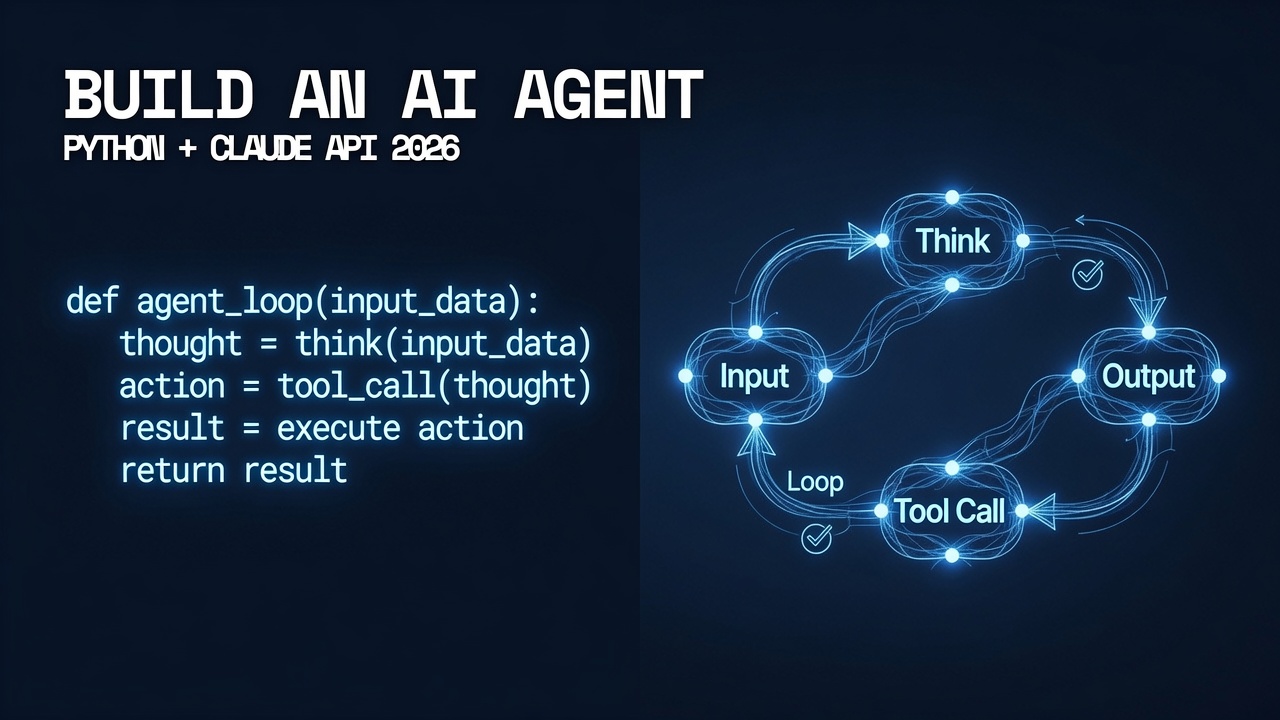
Building an AI agent with Python is one of the highest-leverage skills a developer can add in 2026 — and with the Claude API, the barrier from “working tutorial” to “production-ready agent” is significantly lower than most guides suggest.
This guide walks through the complete process: from your first tool-calling agent in under 30 lines of Python, through memory management and multi-step loops, to the production architecture patterns that make agents reliable rather than fragile. Every code block runs against the live Claude API. Every concept is explained before the code demonstrates it. By the end, you’ll have a working agent you can extend for your own use case.
What You Need Before You Start
- Python 3.10 or higher. The type hints and structural pattern matching in this guide require 3.10+. Run
python --versionto check. - An Anthropic API key. Get one at console.anthropic.com. New accounts include free credits to follow this entire guide.
- Basic Python familiarity. You should know what a function, a dictionary, and a for loop are. This guide doesn’t assume any AI or ML background.
Install the dependencies
pip install anthropic python-dotenvSet up your API key
# Create a .env file in your project root
echo "ANTHROPIC_API_KEY=your_key_here" > .env
Part 1: What an AI Agent Actually Is
Before writing code, it’s worth understanding the precise difference between a chatbot and an agent — because they require fundamentally different architecture.
A chatbot takes input, generates a response, and stops. An AI agent takes input, decides what to do, uses tools to gather information or take actions, evaluates the results, and repeats until the task is complete — all without a human directing each step.
The three components that make something an agent rather than a chatbot:
- Tools. Functions the agent can call to interact with the outside world — search the web, read a file, call an API, run code, send an email. Without tools, the agent can only reason. With tools, it can act.
- A reasoning loop. The agent runs in a cycle: receive task → think → call a tool → observe the result → think again → call another tool or return the final answer. This loop continues until the agent determines the task is complete.
- Memory. The agent maintains context across the loop iterations — it remembers what it did in step 2 when it’s deciding what to do in step 4. This is implemented as a conversation history that grows with each tool call and result.
Part 2: Your First AI Agent in Python (30 Lines)
Start with the minimum viable agent: one tool, one loop iteration, one useful result.
import anthropic
import json
import os
from dotenv import load_dotenv

load_dotenv()

client = anthropic.Anthropic(api_key=os.environ.get("ANTHROPIC_API_KEY"))

# Step 1: Define a tool the agent can use
tools = [
    {
        "name": "calculate",
        "description": "Perform a mathematical calculation. Use this whenever the user asks for a calculation.",
        "input_schema": {
            "type": "object",
            "properties": {
                "expression": {
                    "type": "string",
                    "description": "The mathematical expression to evaluate, e.g. '(15 * 8) + 42'"
                }
            },
            "required": ["expression"]
        }
    }
]

# Step 2: Execute the tool when the agent calls it
def run_tool(tool_name: str, tool_input: dict) -> str:
    if tool_name == "calculate":
        try:
            result = eval(tool_input["expression"])
            return str(result)
        except Exception as e:
            return f"Error: {e}"
    return "Unknown tool"

# Step 3: The agent loop
def run_agent(user_message: str) -> str:
    messages = [{"role": "user", "content": user_message}]

    while True:
        response = client.messages.create(
            model="claude-sonnet-5",
            max_tokens=1024,
            tools=tools,
            messages=messages
        )

        # If the agent is done, return the final answer
        if response.stop_reason == "end_turn":
            for block in response.content:
                if hasattr(block, "text"):
                    return block.text

        # If the agent wants to use a tool, run it and continue the loop
        if response.stop_reason == "tool_use":
            # Add the agent's reasoning to the conversation
            messages.append({"role": "assistant", "content": response.content})

            # Run each tool the agent requested
            tool_results = []
            for block in response.content:
                if block.type == "tool_use":
                    result = run_tool(block.name, block.input)
                    tool_results.append({
                        "type": "tool_result",
                        "tool_use_id": block.id,
                        "content": result
                    })

            # Add the tool results to the conversation and continue
            messages.append({"role": "user", "content": tool_results})


if __name__ == "__main__":
    answer = run_agent("What is (1247 * 83) + (592 / 4)?")
    print(answer)
Run this and the agent will call your calculate tool, receive the result, and give you a natural language answer — not just a number. The loop pattern (agent → tool call → result → agent) is the foundation everything else builds on.
Part 3: Adding Real Tools to Build a Useful Agent
A calculator agent is useful for demonstration. A research agent that reads websites, searches for information, and synthesizes results is useful for work. Here’s how to build one with multiple tools.
import anthropic
import json
import os
import requests
from datetime import datetime
from dotenv import load_dotenv
load_dotenv()
client = anthropic.Anthropic(api_key=os.environ.get("ANTHROPIC_API_KEY"))
# Define multiple tools
tools = [
    {
        "name": "get_current_time",
        "description": "Get the current date and time. Use this when the user asks about the current time or date.",
        "input_schema": {
            "type": "object",
            "properties": {},
            "required": []
        }
    },
    {
        "name": "fetch_webpage",
        "description": "Fetch the text content of a webpage given its URL. Use this to read articles, documentation, or any web page.",
        "input_schema": {
            "type": "object",
            "properties": {
                "url": {
                    "type": "string",
                    "description": "The full URL to fetch, including https://"
                }
            },
            "required": ["url"]
        }
    },
    {
        "name": "save_to_file",
        "description": "Save text content to a file on disk. Use this when the user wants to save results, notes, or reports.",
        "input_schema": {
            "type": "object",
            "properties": {
                "filename": {
                    "type": "string",
                    "description": "The filename to save to, e.g. 'report.txt'"
                },
                "content": {
                    "type": "string",
                    "description": "The text content to write to the file"
                }
            },
            "required": ["filename", "content"]
        }
    }
]
def run_tool(tool_name: str, tool_input: dict) -> str:
    """Execute the requested tool and return a string result."""
    if tool_name == "get_current_time":
        return datetime.now().strftime("%Y-%m-%d %H:%M:%S")
    elif tool_name == "fetch_webpage":
        try:
            headers = {"User-Agent": "Mozilla/5.0 (compatible; AIAgent/1.0)"}
            response = requests.get(
                tool_input["url"], headers=headers, timeout=10
            )
            # Return the first 3000 characters to avoid token overflow
            return response.text[:3000] + "..." if len(response.text) > 3000 else response.text
        except Exception as e:
            return f"Failed to fetch URL: {e}"
    elif tool_name == "save_to_file":
        try:
            with open(tool_input["filename"], "w") as f:
                f.write(tool_input["content"])
            return f"Successfully saved to {tool_input['filename']}"
        except Exception as e:
            return f"Failed to save file: {e}"
    return f"Unknown tool: {tool_name}"
def run_agent(user_message: str, verbose: bool = True) -> str:
    """
    Run the AI agent until it completes the task.
    verbose=True prints each tool call for visibility.
    """
    messages = [{"role": "user", "content": user_message}]
    iteration = 0
    max_iterations = 10  # Safety limit — prevents infinite loops
    while iteration < max_iterations:
        iteration += 1
        response = client.messages.create(
            model="claude-sonnet-5",
            max_tokens=2048,
            tools=tools,
            messages=messages
        )
        if response.stop_reason == "end_turn":
            for block in response.content:
                if hasattr(block, "text"):
                    return block.text
            return "Task completed."
        if response.stop_reason == "tool_use":
            messages.append({"role": "assistant", "content": response.content})
            tool_results = []
            for block in response.content:
                if block.type == "tool_use":
                    if verbose:
                        print(f"[Agent] Calling tool: {block.name}")
                        print(f"[Agent] Input: {json.dumps(block.input, indent=2)}")
                    result = run_tool(block.name, block.input)
                    if verbose:
                        print(f"[Agent] Result: {result[:200]}...")
                    tool_results.append({
                        "type": "tool_result",
                        "tool_use_id": block.id,
                        "content": result
                    })
            messages.append({"role": "user", "content": tool_results})
    return "Agent reached maximum iterations without completing the task."
if __name__ == "__main__":
    result = run_agent(
        "What time is it right now? Then fetch the content from "
        "https://httpbin.org/get and save a brief summary to agent_report.txt"
    )
    print("\n--- Final Answer ---")
    print(result)
Part 4: Adding Memory Across Sessions
The agents above forget everything when the Python script ends. For a persistent agent that remembers past conversations, user preferences, or task history, you need external memory. The simplest production pattern uses a JSON file; the production-grade pattern uses a vector database.
import json
import os
from pathlib import Path


class AgentMemory:
    """
    Simple persistent memory for an AI agent.
    Saves and loads conversation history to disk between sessions.
    """

    def __init__(self, memory_file: str = "agent_memory.json"):
        self.memory_file = Path(memory_file)
        self.messages: list[dict] = []
        self.load()

    def load(self) -> None:
        """Load existing memory from disk if it exists."""
        if self.memory_file.exists():
            with open(self.memory_file) as f:
                data = json.load(f)
                self.messages = data.get("messages", [])
                print(f"[Memory] Loaded {len(self.messages)} messages from previous sessions")
        else:
            print("[Memory] Starting fresh — no previous memory found")

    def save(self) -> None:
        """Persist current memory to disk."""
        with open(self.memory_file, "w") as f:
            json.dump({"messages": self.messages}, f, indent=2)

    def add(self, role: str, content) -> None:
        """Add a message to memory and save."""
        self.messages.append({"role": role, "content": content})
        self.save()

    def get_messages(self) -> list[dict]:
        """Return all messages for the API call."""
        return self.messages

    def clear(self) -> None:
        """Wipe memory — use carefully."""
        self.messages = []
        if self.memory_file.exists():
            self.memory_file.unlink()
        print("[Memory] Memory cleared")


# Usage with the agent from Part 3
def run_agent_with_memory(user_message: str) -> str:
    memory = AgentMemory()
    memory.add("user", user_message)

    response = client.messages.create(
        model="claude-sonnet-5",
        max_tokens=1024,
        tools=tools,
        messages=memory.get_messages()
    )

    # Handle tool calls and final response (same loop as Part 3)
    # ... (integrate the full loop here)

    final_response = "Response from agent"
    memory.add("assistant", final_response)
    return final_response
Part 5: Production Considerations Before You Deploy
The agents above work in development. Before deploying anything to production, four additions are non-negotiable:
- Max iteration limit. Already shown above — set it to 10 and handle the case where the agent doesn't finish. An agent stuck in a loop is an API cost problem, not just a correctness problem.
- Tool error handling. Every tool should return a string result even when it fails — never raise an unhandled exception inside a tool. The agent needs to receive the error message and decide what to do with it.
- Cost tracking. The Anthropic API returns token usage on every response. Log
response.usage.input_tokensandresponse.usage.output_tokensper call. A multi-iteration agent can consume 50,000 tokens on a complex task — know what that costs before it costs you. - Human review for consequential actions. Any tool that sends an email, posts to an API, or writes to a production database should have a confirmation step before execution. Add a
requires_approvalflag to your tool definitions and prompt the human before those calls.
The complete production deployment checklist this series built — covering model selection, security, compliance, and cost management — applies to any agent you build from this guide. The code above is the starting point; the production architecture that surrounds it is what makes it safe to run.
For the complete Claude API reference and tool-calling documentation, see Anthropic's official tool use documentation.
The Builder's Takeaway
Building an AI agent with Python and the Claude API requires four components working together: tool definitions that tell the model what actions are available, a tool execution function that actually runs those actions, an agent loop that keeps running until the task is done, and memory that maintains context across iterations. The code in this guide implements all four in a way you can extend immediately. Add a web search tool, a database query tool, a code execution tool, or a file system tool — the loop handles all of them identically. The production checklist ensures what you build is safe to run. The rest is deciding what problem you want your agent to solve.
Continue in This Series
- Sub-Agent Orchestration — scale from one agent to a coordinated team of specialized agents
- AI Agent Framework 2026 — LangGraph vs CrewAI vs Claude Agent SDK: which framework to build on
- MCP Server Python — the Model Context Protocol: how to expose your tools to any agent, not just yours
- Lethal Trifecta — the security check every production agent needs before it runs
- How to Deploy AI Agents — the complete 5-layer production checklist for what you just built
This post is part of The Agentic Protocol's Work series — the connective infrastructure layer beneath every autonomous pipeline. See also: AI Agent Framework 2026.