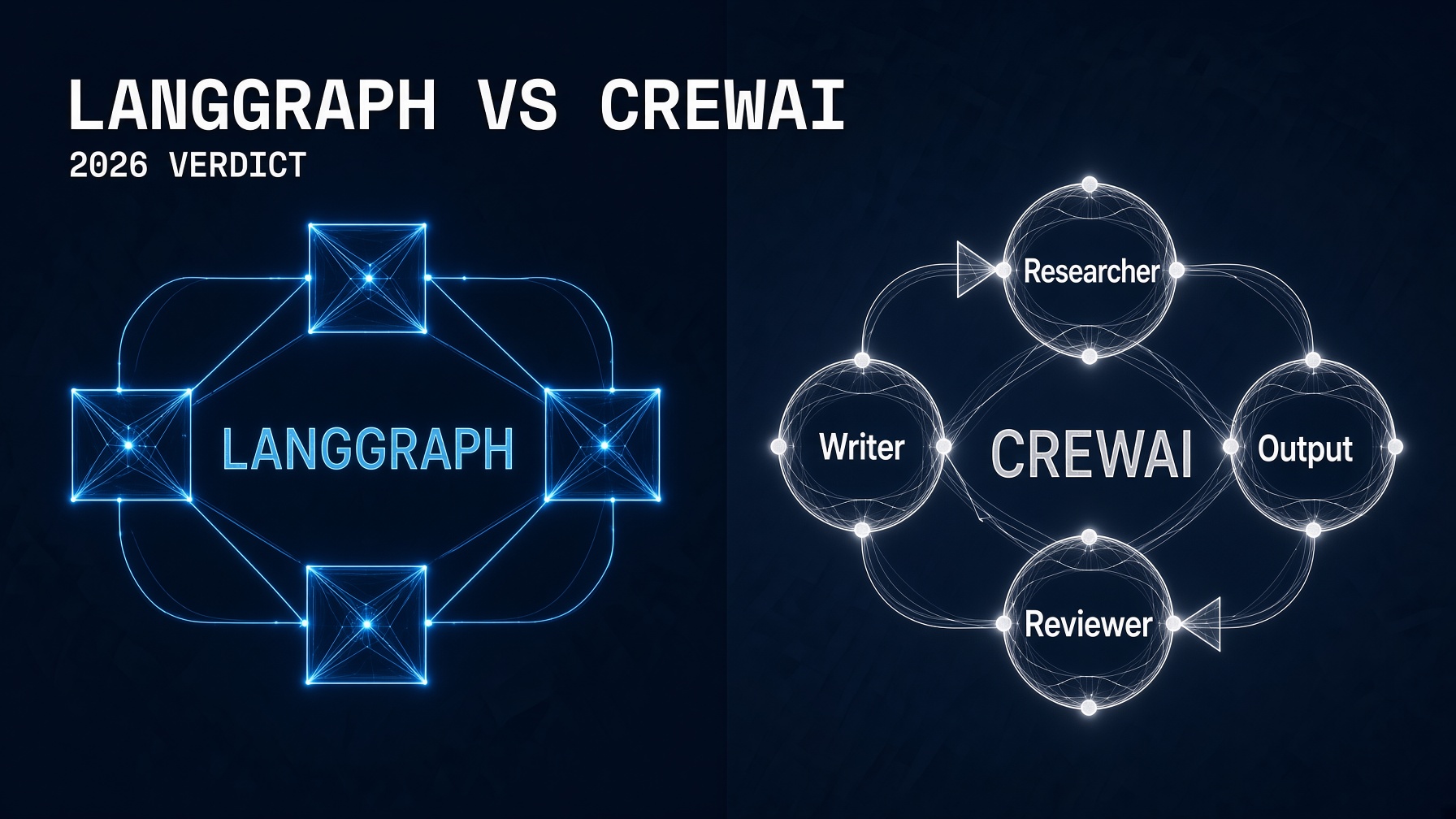
LangGraph vs CrewAI is the most common framework decision AI engineers face in 2026 — and the answer is simpler than most comparison articles make it sound.
LangGraph wins for production systems that need stateful, observable, and precisely controlled agent pipelines. CrewAI wins when you need a working multi-agent prototype this week and don’t want to reason about graph topology before lunch. Both are production-grade. Neither is universally better. The choice comes down to one question: are you optimizing for control or for speed?
This guide covers both frameworks side by side — philosophy, architecture, real code, and the exact conditions under which each one is the right choice. If you haven’t built a basic agent loop yet, start with the How to Build an AI Agent With Python guide first. This post assumes you understand tool calling and the agent loop.
The Core Philosophy Difference
Before writing a single line of code, you need to understand the design philosophy each framework is built around — because choosing the wrong philosophy means rewriting everything later, not just refactoring it.
LangGraph treats your agent workflow as a directed graph. Every agent is a node. Every decision point is an edge. Every piece of state is explicitly defined in a typed schema. You control every transition. This gives you complete observability and deterministic control — but it means you need to think about the graph structure before you write any agent logic.
CrewAI treats your agent workflow as a team. Every agent has a role, a goal, and a backstory — like a job description. Tasks are assigned to agents. The crew runs them in sequence or in parallel. The framework handles the coordination. You don’t define graph edges; you define who does what and in what order.
The practical consequence: LangGraph’s checkpointing lets you pause a graph, wait for a human decision, and resume from the exact point later, even after a process restart. This durable-execution model is one of the strongest reasons teams pick LangGraph for high-stakes workflows. CrewAI supports human input on tasks too, but its persistence story is lighter.
LangGraph vs CrewAI: The Same Task in Both Frameworks
The fastest way to understand the difference is to build the same thing in both. Here’s a research-and-summarize agent in each framework.
Install both frameworks
pip install langgraph langchain-anthropic crewai anthropic python-dotenvThe task: research a topic, then write a summary
Two agents, two steps: a Researcher that gathers information using a search tool, and a Writer that synthesizes it into a concise summary. This is the hello-world of multi-agent systems.
Version 1: CrewAI (fastest path)
import os
from crewai import Agent, Task, Crew, Process
from crewai.tools import tool
from dotenv import load_dotenv

load_dotenv()

# Define a simple search tool
@tool("web_search")
def web_search(query: str) -> str:
    """Search the web for information on a given topic."""
    # In production, replace this with a real search API (Tavily, SerpAPI etc.)
    return f"Search results for '{query}': AI agents are autonomous systems that use LLMs to reason and take actions. In 2026, they are deployed in finance, legal, and engineering workflows."

# Step 1: Define your agents with roles
researcher = Agent(
    role="Senior Research Analyst",
    goal="Find accurate, current information on the topic provided",
    backstory="You are an expert researcher with 10 years of experience synthesizing complex technical information.",
    tools=[web_search],
    verbose=True,
    llm="claude-sonnet-5"  # or "claude-opus-5" for higher quality
)

writer = Agent(
    role="Technical Writer",
    goal="Transform research findings into clear, concise summaries",
    backstory="You excel at making complex technical topics accessible without losing accuracy.",
    verbose=True,
    llm="claude-sonnet-5"
)

# Step 2: Define tasks
research_task = Task(
    description="Research the following topic thoroughly: {topic}. Find key facts, recent developments, and practical implications.",
    expected_output="A detailed research brief with key findings, organized by theme.",
    agent=researcher
)

write_task = Task(
    description="Using the research brief provided, write a concise 3-paragraph summary of: {topic}. Make it accessible to a technical audience.",
    expected_output="A 3-paragraph summary covering: what it is, why it matters, and what to do about it.",
    agent=writer,
    context=[research_task]  # Writer receives researcher's output
)

# Step 3: Assemble the crew and run
crew = Crew(
    agents=[researcher, writer],
    tasks=[research_task, write_task],
    process=Process.sequential,  # Run tasks in order
    verbose=True
)

result = crew.kickoff(inputs={"topic": "AI agent security in 2026"})
print(result.raw)
That’s 45 lines of working CrewAI code. The role-based abstraction reads almost like a job description — because that’s exactly what it is. You didn’t define a graph. You described a team.
Version 2: LangGraph (explicit control)
import os
from typing import TypedDict, Annotated
import operator
from langgraph.graph import StateGraph, END
from langchain_anthropic import ChatAnthropic
from langchain_core.messages import HumanMessage, SystemMessage
from dotenv import load_dotenv

load_dotenv()

llm = ChatAnthropic(model="claude-sonnet-5", api_key=os.environ.get("ANTHROPIC_API_KEY"))

# Step 1: Define your state schema explicitly
class ResearchState(TypedDict):
    topic: str
    research_findings: str
    final_summary: str
    # Annotated list allows LangGraph to merge results from parallel nodes
    messages: Annotated[list, operator.add]

# Step 2: Define each node as a pure function
def researcher_node(state: ResearchState) -> ResearchState:
    """Research agent: gathers information on the topic."""
    response = llm.invoke([
        SystemMessage(content="You are a Senior Research Analyst. Your job is to research topics thoroughly and produce detailed briefings."),
        HumanMessage(content=f"Research this topic and provide key findings, recent developments, and practical implications: {state['topic']}")
    ])
    return {"research_findings": response.content}

def writer_node(state: ResearchState) -> ResearchState:
    """Writer agent: synthesizes research into a clear summary."""
    response = llm.invoke([
        SystemMessage(content="You are a Technical Writer. Transform research findings into clear, concise 3-paragraph summaries."),
        HumanMessage(content=f"Research findings to summarize:\n\n{state['research_findings']}\n\nWrite a 3-paragraph summary for a technical audience.")
    ])
    return {"final_summary": response.content}

# Step 3: Build the graph explicitly
def build_research_graph():
    graph = StateGraph(ResearchState)

    # Add nodes
    graph.add_node("researcher", researcher_node)
    graph.add_node("writer", writer_node)

    # Define edges (execution order)
    graph.set_entry_point("researcher")
    graph.add_edge("researcher", "writer")
    graph.add_edge("writer", END)

    return graph.compile()

# Step 4: Run with optional checkpointing
from langgraph.checkpoint.memory import MemorySaver

checkpointer = MemorySaver()  # Swap for SqliteSaver in production
app = build_research_graph()

# Run the graph
config = {"configurable": {"thread_id": "research-001"}}
result = app.invoke(
    {"topic": "AI agent security in 2026", "messages": []},
    config=config
)

print(result["final_summary"])
LangGraph requires more setup — you define the state schema, each node as a function, and every edge explicitly. In return, you get something CrewAI doesn’t provide out of the box: the thread_id in the config means this workflow can be paused, interrupted, and resumed from exactly this state. If the writer node fails at step 4 of a 10-step pipeline, LangGraph resumes from step 4. CrewAI restarts from step 1.
LangGraph vs CrewAI: The Honest 6-Dimension Comparison
| Dimension | LangGraph | CrewAI |
|---|---|---|
| Learning curve | Steeper — you must understand graph topology | Gentler — role metaphor is immediately intuitive |
| Time to first prototype | Half a day to a full day | 2–4 hours |
| Production maturity | v1.0.10 GA — battle-tested, 37,000+ GitHub stars | v1.10.1 — solid, 44,600+ GitHub stars |
| State management | Explicit, typed, checkpointed — resumes after failure | Role-based, lighter persistence |
| Human-in-the-loop | First-class primitive — pause anywhere, resume exactly | Supported but requires more custom work |
| MCP / protocol support | Community integrations, not native | Native A2A support, MCP via integration |
The Decision Framework: Four Questions
Learning curve: CrewAI (easiest) > LangGraph (steepest). Control and flexibility: LangGraph (most) > CrewAI (least). Production readiness: LangGraph (most mature) > CrewAI (solid). Token efficiency: LangGraph (best) > CrewAI (moderate).
Answer these four questions honestly before choosing:
- Does your workflow need to survive failures and resume mid-execution? If a step fails at 2 AM and needs to be retried without restarting from the beginning — LangGraph. Its checkpointing resumes from the exact failure point. CrewAI without additional custom work restarts the whole crew.
- Do you need human approval before certain agent actions? For regulated industries (finance, healthcare, legal) or any workflow with consequential real-world actions, LangGraph’s interrupt-and-resume primitive is the right architecture. The EU AI Act compliance checklist this series covered requires exactly this capability for AI systems making consequential decisions.
- Is your team building a prototype this week or a system this quarter? If this week: CrewAI’s role-based abstraction is dramatically faster to write, reason about, and explain to non-engineers. If this quarter and it’s going to production: the time you invest in LangGraph’s explicit state graph pays back when you need to debug, instrument, or modify a live system.
- Do you need fine-grained control over which agent runs next based on dynamic conditions? LangGraph’s conditional edges handle “if the agent returned X, route to node A; if it returned Y, route to node B” naturally. CrewAI’s sequential and hierarchical process modes cover most cases, but edge-case routing requires workarounds.
The Pattern That Resolves the Choice for Most Teams
Production systems increasingly use both. The most common pattern: CrewAI for research/synthesis phases (fast, role-based) feeding into LangGraph for execution phases (deterministic, auditable).
This isn’t a cop-out answer — it’s genuinely how production systems are being built in 2026. The pattern looks like this:
- Phase 1 (CrewAI): A research crew gathers information, synthesizes findings, and produces a structured output. Role-based, fast to build, easy to reason about. The output is a document or structured JSON.
- Phase 2 (LangGraph): A stateful execution graph takes the CrewAI output and runs a deterministic, checkpointed, human-reviewable action sequence — drafting communications, updating systems, filing records. Each step is auditable, each failure is resumable.
For teams that can only choose one: CrewAI is the fastest path from idea to working multi-agent prototype, but many teams eventually outgrow its simpler role-based orchestration. LangGraph is the production standard for stateful, auditable agentic workflows. If you’re building something that will live in production for 12 months, start with LangGraph. If you’re demonstrating a concept next week, start with CrewAI.
For the full framework landscape including Claude Agent SDK, OpenAI Agents SDK, and Google ADK, see the AI Agent Framework 2026 comparison this series built. For a deeper dive on the comparison methodology, see Let’s Data Science’s March 2026 production comparison.
The Builder’s Takeaway
LangGraph vs CrewAI is not a question of which framework is better — it’s a question of which problem you’re solving first. Prototype quickly and explain it to your team in an afternoon: CrewAI. Build a system that handles failures, requires human approval at specific steps, and produces audit trails a compliance team can review: LangGraph. The code above shows both doing the same task — and the gap in lines of code between them is the gap in setup cost versus control. Neither gap is free. Both are worth paying in the right context. The wrong choice isn’t choosing the wrong framework. It’s choosing without understanding which tradeoff you’re accepting.
Continue in This Series
- How to Build an AI Agent With Python — the single-agent foundation both frameworks build on top of
- AI Agent Framework 2026 — the broader 6-framework comparison: Claude Agent SDK, OpenAI SDK, Google ADK, and more
- MCP Server Python — how to expose tools to your LangGraph or CrewAI agents via the Model Context Protocol
- Sub-Agent Orchestration Python — the raw Python orchestration layer before you reach for a framework
- How to Deploy AI Agents — the production checklist for whatever framework you chose
This post is part of The Agentic Protocol’s Work series — the connective infrastructure layer beneath every autonomous pipeline. See also: AI Agent Framework 2026.